Photo guide
How to choose the best photo of your pet
How to pick the photo that gives the best *paws at you* AI video of your pet: pose, light, background and file size, with tips for cats, dogs, rabbits and other pets.
By Paws At You · Content updated November 3, 2026
The photo is the only thing ByteDance Seedance 2.0 gets from you, so it decides how close the video looks to your pet. The best photo shows one pet, facing the camera, chest up, with its front paws in view, in even light. A normal phone photo is fine.
The quick checklist
- One pet in the photo, and no people.
- Your pet looks toward the camera, which is at about its eye level.
- Head, chest and front paws are in the frame, and the pet fills a good part of it.
- Even, soft light, such as daylight from a window. No harsh shadows across the face.
- A simple background: a floor, a sofa or a plain wall.
- Sharp, not blurry, with no filters, stickers or text.
- A JPG, PNG or WebP file up to 10 MB, at least 320 pixels on each side, in a normal portrait or landscape shape.
Why the pose matters
In the video your pet comes up to the lens and reaches for it with a paw. When the photo already shows the face and the front paws, the model has what it needs to make that move look natural. A pet that is curled up, turned away or far off gives the model less to work with, and the result drifts further from your pet.
Tips by pet
- Cats: catch them sitting upright and looking at you. A toy or treat held just above the phone helps.
- Dogs: a sitting dog facing you works better than one in mid-run. For a big dog, crouch so the phone is at its eye level.
- Rabbits, guinea pigs and hamsters: get down to their level and close enough that the pet fills much of the frame.
- Birds and other pets: a clear view of the face and body matters most. Results vary more than with cats and dogs.
What to avoid
- Several pets, or a person, in the photo. Photos with people are not allowed.
- A pet that is tiny in the frame or far away.
- Dark, blurry or backlit photos.
- Heavy filters, beauty effects, stickers or text on the photo.
- Screenshots of other videos or memes. Use your own photo.
What happens to your photo
Before it is uploaded, your browser shrinks the photo and removes its metadata, such as GPS location. It is used only to make your video and is deleted from our storage as soon as the video is ready, or within 48 hours if no video is made. See the Privacy policy.
Ready? Upload your photo, or read how to use Paws At You AI step by step.
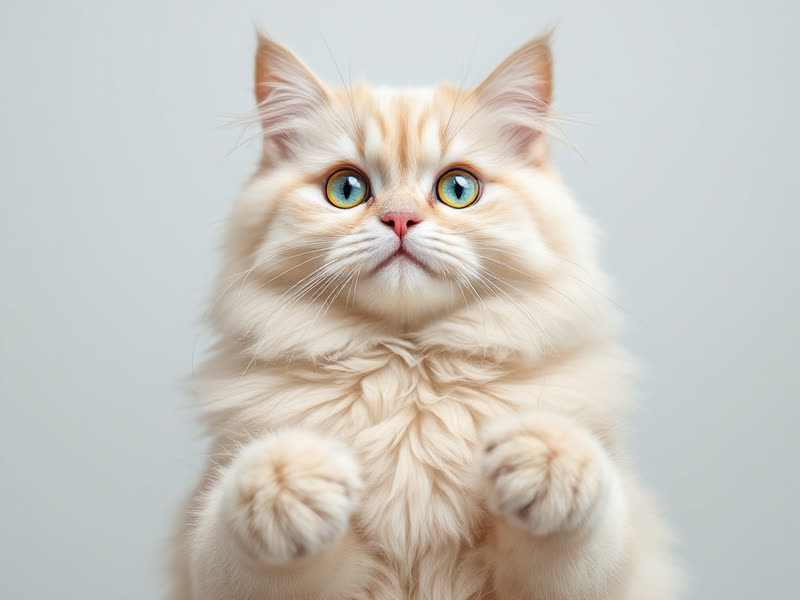
Do: Chest up, facing the camera 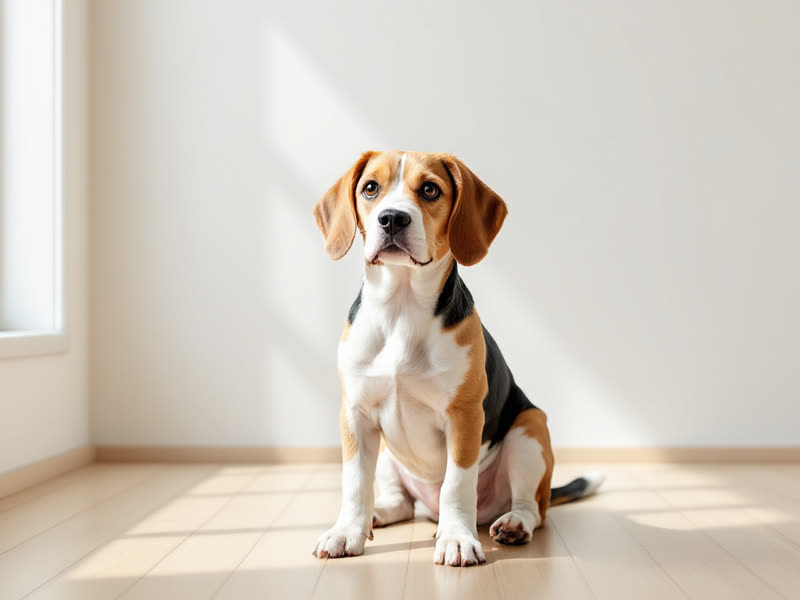
Do: Simple background, good light 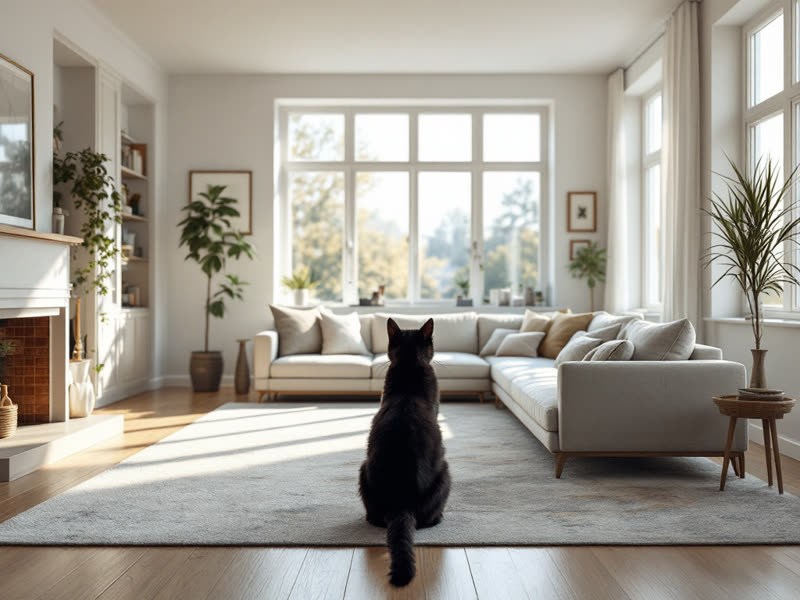
Avoid: Tiny or far away in the frame 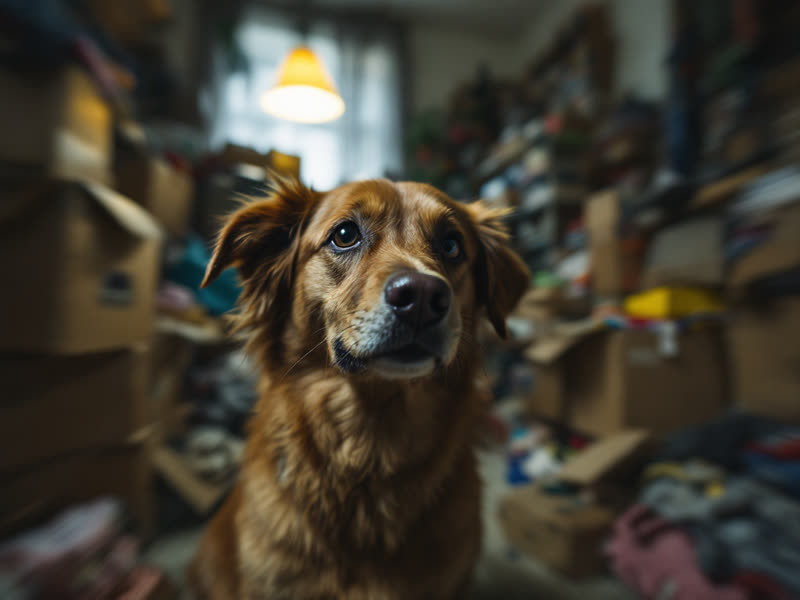
Avoid: Busy, dark or blurry